How to choose a TV in 2026: a complete buying guide
How to choose a TV in 2026: signal quality in Latvia, size and viewing distance, OLED, Mini LED and RGB Mini LED, smart TV platforms and Latvian apps, gaming, easy everyday use and common myths. Based on RTINGS, HDTVTest and other lab tests.

Updated 31 October 2026. We sell TVs in Riga, and this guide answers the questions our customers ask us most often. It draws on independent lab tests (RTINGS, HDTVTest, Stiftung Warentest, Which?), manufacturer data and the official pages of Latvian service providers. Sources are listed at the end.
In brief
6 things to know before you buy
- 1Start with what you watch. If it is mostly Latvian TV channels, a good processor and a sensible size matter most. If it is Netflix or HBO Max on a Premium plan, Apple TV or a PS5, invest in the panel: OLED or a good Mini LED.
- 2Size. From 2.5 m, a 55 to 75 inch screen is comfortable to watch, and 65 inches suits most rooms. The advice to sit at least three screen diagonals away dates from the CRT era.
- 3Lighting. For a dark room and films, OLED is the better choice. For a bright living room with large windows, choose a bright Mini LED or an OLED with an anti-glare finish.
- 4Gaming. Look for a 120 Hz panel, HDMI 2.1, VRR and ALLM, and check how many ports actually support HDMI 2.1.
- 5Platform. With the TV you also choose a system: webOS (LG), Tizen (Samsung) or Google TV. Make sure it offers the apps you need: Go3, Tet+, LMT, Netflix.
- 6Simplicity. If the TV is for relaxed everyday viewing, choose a comfortable remote, a clear menu and dialogue enhancement. A soundbar will noticeably improve the sound.
Why buy a Ferrari to drive off-road? Start with the signal
We often ask our customers one question: why buy a Ferrari if you will only ever drive it off-road? A TV can only show what it receives. Even the most expensive OLED will not turn a weak signal into cinema. So before comparing technologies, decide what you watch most often.
Picture quality depends not only on resolution but also on bitrate, the amount of data that arrives every second. If resolution is the size of the canvas, bitrate is the amount of paint on it.
Broadcast, cable and Go3: HD level
Terrestrial TV (LVRTC, DVB-T), LTV1 and LTV7
Maximum quality
SD and HD
Bitrate
typically 5 to 6 Mbit/s for an HD channel (EBU estimate)
Cable TV and IPTV in Latvia
Maximum quality
SD and HD, practically no regular 4K channels
Bitrate
not published by operators
Go3
Maximum quality
"Most content in HD", 10 Mbit/s recommended
Bitrate
HD level
4K and HDR sources
Netflix Standard / Premium
Maximum quality
1080p / 4K with HDR (Premium only)
Bitrate
up to 16 Mbit/s for 4K
HBO Max Premium
Maximum quality
4K UHD with HDR10 or Dolby Vision (for some films and series)
Bitrate
not published; requires internet from 25 Mbit/s
Apple TV
Maximum quality
4K Dolby Vision
Bitrate
25 to 40 Mbit/s, the highest among streaming services
4K Blu-ray, PS5, Xbox Series X
Maximum quality
4K HDR, up to 120 frames per second in games
Bitrate
up to 128 Mbit/s for discs
It pays to choose the TV and the signal source together. In practice, that means the following.
- Latvian TV channels are broadcast in SD and HD. A 4K screen has to fill in millions of pixels that are not in the signal, and a large screen makes compression artefacts easier to see: blocks in dark scenes, banding in skies. If you mostly watch TV channels, invest in the processor rather than record brightness.
- 4K and HDR streaming come only with the pricier plans. Netflix Standard shows 1080p, while 4K and HDR require the Premium plan. HBO Max works the same way: Standard is Full HD, Premium is 4K. Operator bundles more often include the basic plan; LMT, for example, advertises HD quality for its Netflix Basic bundle.
- Internet speed is rarely the problem in Latvia. According to Ookla, the median fixed broadband speed in March 2026 was about 147 Mbit/s, while a single 4K stream needs 15 to 25 Mbit/s. Weak Wi-Fi in the room is a more common culprit.
- An expensive TV earns its keep if you watch 4K streams on a Premium plan, 4K Blu-ray or play on a console. These are exactly the sources OLED and good Mini LED TVs are built for.
What size to choose: the old rule no longer applies
Many buyers still reason the old way: "it is three metres to the wall, so 43 inches will do." That rule comes from the days of CRT sets and SD signals, when sitting close revealed scan lines and pixels. On a 4K screen you cannot see them.
Compare it with a computer. A 42 inch OLED monitor seen from 80 cm fills about 60 degrees of your field of view, and many people work at one every day. A 65 inch TV seen from 2.5 m fills just 32 degrees. The living-room "giant" is actually modest.
Modern recommendations are based on viewing angle: about 30 degrees for everyday viewing (the SMPTE recommendation) and about 40 degrees for cinema (THX). RTINGS uses the same range and warns that below 20 degrees fine detail becomes hard to make out.
Distance
2.0 m
Comfortable, 30° (TV, sport)
48"
Cinema, 40° (films, games)
66"
Best choice
50 to 65"
Distance
2.5 m
Comfortable, 30° (TV, sport)
60"
Cinema, 40° (films, games)
82"
Best choice
55 to 75", most often 65"
Distance
3.0 m
Comfortable, 30° (TV, sport)
73"
Cinema, 40° (films, games)
99"
Best choice
65 to 85"
Distance
3.5 m
Comfortable, 30° (TV, sport)
85"
Cinema, 40° (films, games)
115"
Best choice
75 to 98"
Calculated for a 16:9 screen: diagonal ≈ distance ÷ 1.63 (30°) or ÷ 1.2 (40°).
- Some Latvian shops still recommend 3 to 3.5 m for a 65 inch TV. By RTINGS geometry, a screen that size works for films from 2 m and for everyday viewing from about 2.7 m.
- 43 inches from 3 m fills only about 18 degrees, below the RTINGS minimum of 20. The detail you pay for with 4K simply gets lost.
- Can a TV be too big? It will not harm your eyes: the American Academy of Ophthalmology says there is no evidence of damage, only possible temporary eye strain. Above 40 degrees, though, fast sport and games become harder to follow. The experts at What Hi-Fi? find that people far more often make the opposite mistake and buy a screen that is too small.
- When is 4K actually visible? A 2025 study by the University of Cambridge and Meta (Nature Communications) found that the eye resolves more detail than previously thought. Even so, a small screen seen from far away will not show the benefits of 4K: the larger the screen, the more sense 4K makes.
Screen technologies in 2026: LED, QLED, Mini LED, RGB Mini LED and OLED
There are plenty of acronyms on the box, but only two families of technology. LCD screens (LED, QLED, Mini LED, RGB Mini LED) need a backlight. In an OLED screen, each pixel emits its own light and can switch off completely.
- LED and QLED are LCDs with a conventional backlight. QLED adds a quantum-dot layer for richer colour but remains an LCD. Budget models have no local dimming, so black looks greyish and HDR makes little impression.
- Mini LED uses thousands of tiny LEDs grouped into zones. These screens are bright and suit bright rooms well, but a faint halo can appear around bright objects on dark backgrounds.
- RGB Mini LED (Micro RGB at Samsung and LG, True RGB at Sony) is the headline innovation of 2026: the backlight uses separate red, green and blue LEDs. It is the brightest and most colourful class of LCD, yet the halo is only smaller, not gone. Despite the name, "Micro RGB" is not MicroLED.
- OLED (LG WOLED and Samsung QD-OLED) delivers perfect black, the best viewing angles and the fastest response time. In HDTVTest's 2026 shootout, the Samsung S99H OLED took first place, a Sony RGB model second and the LG G6 third.
LED / QLED without dimming
Black and contrast
weak
HDR brightness (measured)
a few hundred nits (for example, about 300)
Bright room
fair
Best for
tight budgets, second TV, kitchen
Mini LED
Black and contrast
good
HDR brightness (measured)
600 to 2,300 nits depending on the class
Bright room
very good
Best for
bright living room, sport
RGB Mini LED
Black and contrast
very good
HDR brightness (measured)
2,000 to 4,200 nits
Bright room
excellent
Best for
very bright rooms, large screens
OLED
Black and contrast
perfect
HDR brightness (measured)
1,350 to 1,500 nits, flagships 2,500 to 2,700 nits
Bright room
good, very good with an anti-glare screen
Best for
films, gaming, dark rooms
Brightness from lab measurements in a 10% window (TechRadar, Tom's Guide, Expert Reviews). Figures on the box are usually much higher: the LG G6 is advertised at "up to 4,500 nits" and measured about 2,470.
Does OLED burn in?
RTINGS ran 102 TVs at maximum brightness for several years, about 18,000 hours each. With a static image in that mode, every OLED developed burn-in. The lab's conclusion, however, is different: with normal mixed viewing, burn-in is unlikely, and the OLEDs proved the most reliable sets in the test. Among LCDs without local dimming, almost 60% failed fully or partly. For perspective, 18,000 hours equals more than 16 years of viewing at 3 hours a day. If your screen often shows a static image for long periods, such as a news ticker or a computer desktop, simply turn the brightness down.
What "Mini LED" really means on a cheap TV
In 2026 the Mini LED label no longer guarantees a premium set. Some inexpensive models that carry it use a 60 Hz panel and, according to RTINGS, perform almost like a basic LED TV. Look past the name at three things: local dimming (number of zones), the panel's real refresh rate (native 100/120 Hz) and HDMI 2.1.
In our range: OLED TVs, Mini LED, QLED and LG QNED.
Bright or dark room
- Dark room, films in the evening: OLED. Black stays black, and there is no halo around subtitles.
- Bright living room with large windows: a bright Mini LED or RGB Mini LED. An OLED with a matte anti-glare finish, such as Samsung Glare Free, also handles reflections well.
- Matte or glossy screen. A matte screen diffuses window reflections better, but in daylight black looks greyish. A glossy screen shows reflections more sharply but keeps a deep black. In the dark there is no difference.
- Placement. If the TV faces a window directly, reflections are unavoidable. A slight turn of the screen, curtains during the day and lamps beside rather than behind the viewer all help.
The processor: when it really matters
The processor upscales the picture to 4K, removes noise and compression artefacts, and handles HDR and motion. Its work is most visible with a weak signal: TV channels, old films, cheap streams. Comparing the LG C6 with the Samsung S85H, RTINGS notes that the LG "does a much better job cleaning up compression artifacts that are common with low-quality streaming content". With 4K Blu-ray or Netflix Premium, the panel takes centre stage: contrast, brightness and colour.
- If you mostly watch Latvian channels, the processor and a moderate screen size matter more than record brightness.
- Processor names (α11, NQ4 AI, XR, AiPQ) cannot be compared across brands. Trust tests, not advertising.
- No processor can restore detail that is not in the signal. It can only hide defects.
You are choosing a platform: webOS, Tizen or Google TV
When you buy a phone, you choose between Android and iOS. A TV is no different: you are buying an operating system for years to come. It determines which apps you get, how you search for content, how many ads you see and how long updates will keep coming.
How Google TV differs from Android TV
Android TV is the operating system; Google TV is its interface. Google TV runs on Android TV OS and adds a home screen that gathers films and series from all your apps, along with personal profiles and recommendations. Google confirms that all Android TV apps also work on Google TV. Since late 2022, new TVs running Google's system have shipped with Google TV; classic Android TV now survives mostly on operator set-top boxes. Google TV can be used without a Google account in Basic TV mode, but then you cannot install apps or cast video from your phone. Ads on the Google TV home screen cannot be switched off.
Main platforms in 2026
webOS
Brands
LG
Updates
webOS Re:New: 4 upgrades over 5 years
Notes
Magic Remote with a pointer, AirPlay and Google Cast
Tizen (One UI Tizen)
Brands
Samsung
Updates
up to 7 years of system updates (not all models)
Notes
SolarCell remote, AirPlay, Samsung TV Plus, no Dolby Vision
Google TV
Brands
TCL, Xiaomi, Sony
Updates
depends on the manufacturer
Notes
largest app choice, built-in Chromecast
Titan OS
Brands
Philips (2026 models)
Updates
Philips promises 8 years
Notes
new platform, some apps not yet available
VIDAA
Brands
Hisense
Updates
up to 8 years
Notes
smaller app choice
Latvian apps: will they be on your TV?
In Latvia, this may be the most important question of all. In October 2026 we checked the official lists of supported devices:
Go3
Tet+ (new app, 2026)
Balticom iTV
LMT Viedtelevīzija
REplay.lv (LSM)
On all platforms
no dedicated Smart TV app; the service opens in the TV's browser
- The safest choice in Latvia is LG, Samsung or Google TV. Go3, Tet+ and Balticom work on all three.
- For the new Tet+ app to work on Samsung, LG and VIDAA TVs, Latvia must be selected as the country in the settings.
- The main platforms do not support voice control in Latvian. Google Assistant and Samsung Bixby understand neither Latvian nor Russian, and LG voice recognition is not available in Latvian. For searching, the on-screen keyboard or your phone works better.
- If an older TV no longer receives app updates, an inexpensive streaming box will help. See TV boxes and media players.
Ads and privacy
No platform is entirely ad-free. Many TVs use ACR, automatic content recognition, to track what you watch. You can switch it off in the settings: Viewing Information Services on Samsung, Viewing Information on LG, and the manufacturer's privacy settings on Google TV devices.
Remote and ease of use
- LG Magic Remote works like a mouse in the air: pointer, scroll wheel, voice button. Many people find it faster for typing and searching, though not everyone likes the pointer.
- Samsung SolarCell charges from room light or via USB-C, so there are no batteries to replace. It has few buttons.
- The Google TV remote is simple, with Netflix and YouTube buttons. Sony remotes often have backlit buttons and a sound to help you find them.
- Hold the remote before you buy. If the TV is on four hours a day, a comfortable remote matters more than an extra 10% of brightness.
A TV for gaming: PS5, Xbox and PC
- HDMI 2.1 and 4K at 120 Hz. The PS5 and Xbox Series X output 4K at 120 frames per second only through an HDMI 2.1 input. Consoles need 120 Hz; 144 and 165 Hz are useful for a PC.
- Not every port supports HDMI 2.1. The Sony Bravia 9 II, for example, has two such ports out of four. If you have a console and a soundbar, count the inputs in advance.
- VRR and ALLM. Variable refresh rate prevents screen tearing, and ALLM switches game mode on automatically.
- Input lag on good TVs in game mode measured 9 to 13 ms in 2026 tests, so it is no longer the main differentiator. What matters more is 120 Hz, VRR and response time, where OLED is the fastest.
- Budget models with a 60 Hz panel do not support 4K at 120 Hz, even if the box says "Motion Rate 100" or "120".
Browse our gaming TVs.
Design and placement: wall or stand
- On the wall. Check the VESA standard (the spacing of the mounting holes in millimetres) and the bracket's load rating. A matching VESA pattern does not guarantee the bracket will hold the weight. Samsung The Frame comes with a slim wall mount, as does the LG G series in some markets, so check what is in the box.
- Feet at the edges or a centre stand. Most new models have feet at the edges of the screen, so the cabinet must be at least as wide as the distance between them. For a narrow cabinet, look for a model with a centre stand or feet that can be moved closer to the middle. A swivel stand is another option.
- Height. The centre of the screen should be at seated eye level, usually about 1 m from the floor (95 to 110 cm). Mounting above a fireplace is hard on the neck.
- Safety. According to the US Consumer Product Safety Commission (CPSC), a falling TV was involved in 70% of child deaths caused by furniture tip-overs. Anchor the TV or the cabinet to the wall, especially in a child's room.
- Soundbar and feet. With low feet, a tall soundbar can block the bottom of the screen or the remote sensor. Compare the heights in advance.
Sound: when you need a soundbar
A thin case leaves no room for good speakers or enough air volume, so flat TVs usually sound weak. Even an inexpensive soundbar makes a noticeable difference. If the soundbar supports Dolby Atmos or lossless audio, you need a TV with eARC (HDMI 2.1): standard ARC carries about 1 Mbit/s and Atmos only in compressed form, while eARC carries up to 37 Mbit/s. For clearer speech, turn on dialogue enhancement: Active Voice Amplifier on Samsung, Clear Voice on LG, Voice Zoom on Sony.
Which TV suits whom
Easy, no-fuss use
What matters
comfortable remote, clear menu, dialogue enhancement, a large enough screen
What to choose
Samsung (accessibility features, magnification, voice guide) or LG with the Magic Remote; a soundbar if needed
Gaming
What matters
120 Hz, HDMI 2.1 on several inputs, VRR, ALLM
What to choose
OLED or Mini LED with 120 Hz or more
Films
What matters
black level, contrast, Dolby Vision, 40° viewing angle
What to choose
OLED in a darkened room
Sport
What matters
smooth motion, brightness, wide viewing angles
What to choose
Mini LED or OLED with 100/120 Hz
Bedroom and kitchen
What matters
size, price, apps
What to choose
32 to 50"; Full HD is enough for a small screen
Tight budget
What matters
a good processor matters more than big numbers on the box
What to choose
4K LED or QLED, 50 to 55", from a well-known brand
If the TV is for someone who would rather not deal with settings, or you are giving it as a gift, prepare everything in advance: install the apps, enlarge the text and set the TV to start straight on a TV channel. The new Tet+ app, for example, has a mode that opens LTV1 at start-up instead of the app menu. Before buying, let the future owner hold the remote and change a channel: the Magic Remote pointer does not suit everyone.
Myths and common mistakes
Myth 1
"The more hertz on the box, the better."
In fact: "Motion Rate 200" is usually double the panel's real refresh rate, and "Motionflow XR 960" is several times higher. Look for native 100/120 Hz in the specifications.
Myth 2
"You need 8K."
In fact: Sony, LG and TCL have left the 8K TV market, and there is practically no 8K content.
Myth 3
"An expensive processor will fix a bad signal."
In fact: A processor can hide defects but cannot restore lost detail.
Myth 4
"QLED and OLED are the same thing."
In fact: QLED is a backlit LCD, whereas OLED pixels emit their own light.
Myth 5
"An HDR label guarantees good HDR."
In fact: A TV without local dimming and with a few hundred nits shows almost no HDR effect.
Myth 6
"Apps will work forever."
In fact: Support periods vary: up to 7 years for Samsung, 4 upgrades over 5 years for LG. Check the requirements of Latvian apps as well.
Power consumption and the energy label
The EU energy label shows a scale from A to G and two classes, one for SDR and one for HDR, each with consumption in kWh per 1,000 hours. In HDR mode a TV typically uses 2 to 3 times more power. Most models land in the lower classes because the scale is strict, and the class can differ between screen sizes of the same model. Technology alone does not determine the class, so check the label of the exact model. Running costs are easy to estimate: 1,000 hours a year equals about 2 hours 45 minutes of viewing a day. A TV that uses 100 kWh per 1,000 hours will cost about €20 a year at €0.20 per kWh.
2 to 3×
higher consumption in HDR mode than in SDR
about €20
a year for a TV using 100 kWh per 1,000 h, watched about 2 h 45 min a day
In our warehouse · Riga
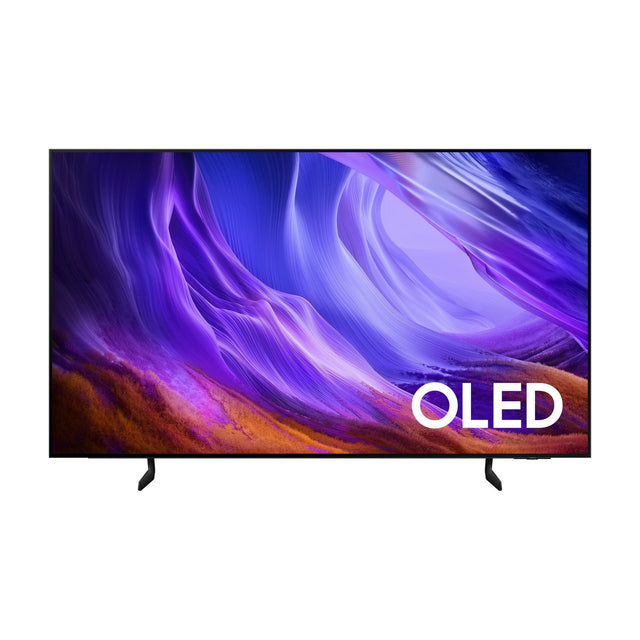
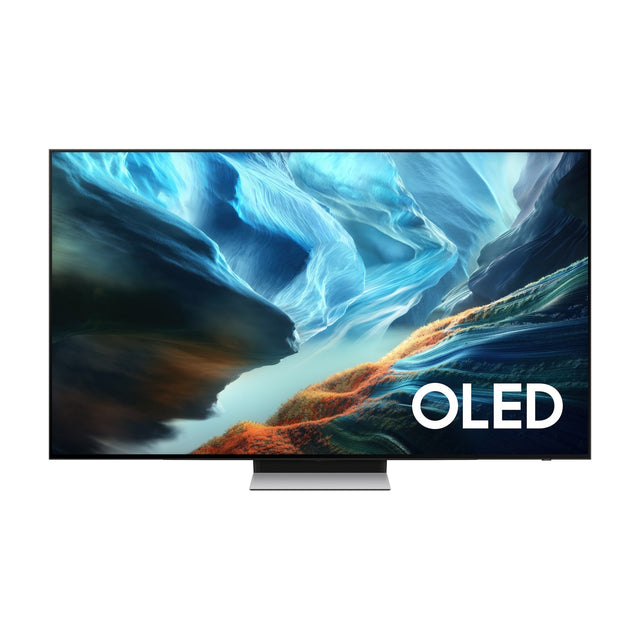
OLED TVs you can pick up today
The most purchased models that are in our warehouse. Order on a working day by 17:00 and collect within 1 hour. The list updates automatically.
In our warehouse · Riga
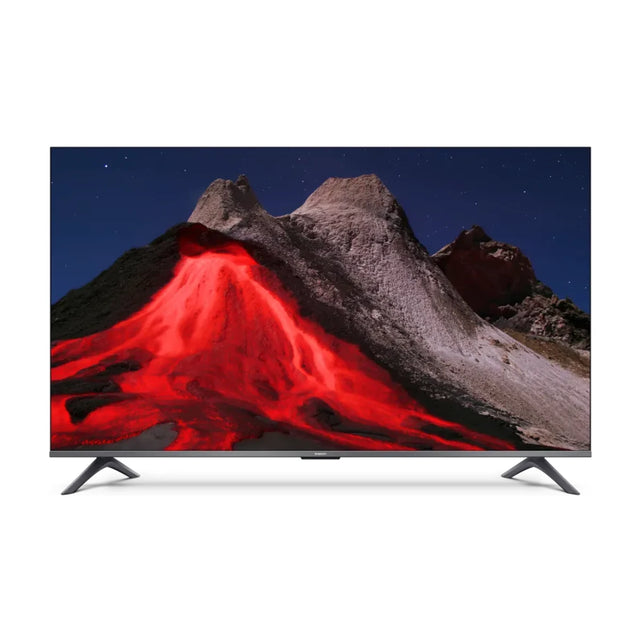
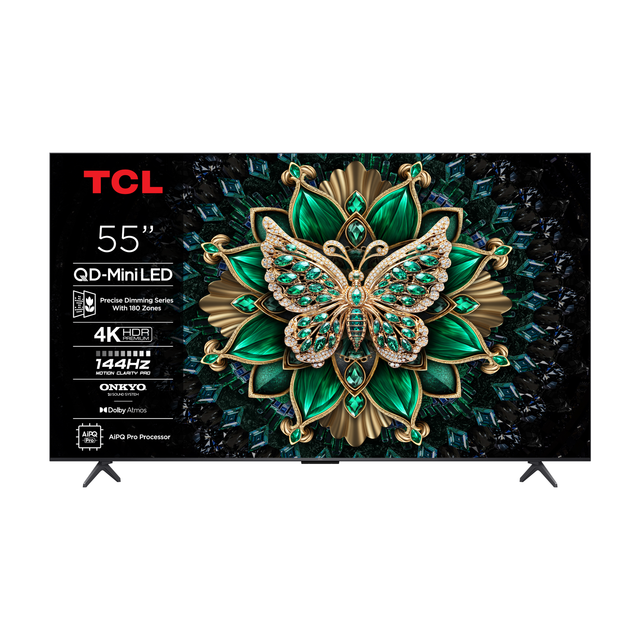
TVs in stock in Riga
The most purchased models that are in our warehouse. Order on a working day by 17:00 and collect within 1 hour. The list updates automatically.
How we prepared this guide
We do not run lab measurements ourselves, so we rely on independent labs. RTINGS buys TVs from ordinary shops, has tested more than 500 models and runs a long-term reliability test. HDTVTest holds blind comparisons against a studio reference monitor. Stiftung Warentest and Which? also test how TVs handle ordinary TV channels with SD and HD signals. Latvian data come from the official websites of LVRTC, Go3, Tet, LMT and Balticom. If anything changes, we will update this guide.
Torn between two models? Write or call us, and we will help you choose a TV for your room, viewing distance and the content you watch. Browse all TVs, as well as 55 inch, 65 inch and 75 inch and larger models.
Frequently asked questions
What size TV should I choose for the living room?
Measure the distance from the sofa to the screen in centimetres and divide it by 4.1: the result is a comfortable diagonal in inches. From 2.5 m that is about 60 inches, which is why 65 inches is the most common choice.
Which is better: OLED or QLED?
OLED delivers perfect black and the best viewing angles, which makes it the best choice for films and dark rooms. Good Mini LED models are brighter and often cheaper, and they win in very bright rooms. A cheap QLED without local dimming is no match for OLED.
What is RGB Mini LED?
A new type of LCD backlight introduced in 2026, using separate red, green and blue LEDs. It is the brightest and most colourful LCD, but it does not reach OLED black levels.
Can an OLED TV burn in?
Yes, if it shows a static image for thousands of hours. With normal viewing, RTINGS considers burn-in unlikely, and in its long-term test OLEDs proved more reliable than cheap LCDs.
What is the difference between Google TV and Android TV?
Android TV is the operating system; Google TV is its modern interface, with a home screen that gathers content from all your apps. The apps are the same.
Will Go3 and Tet+ work on my TV?
Both apps work on new LG, Samsung and Google TV models. The new Tet+ app needs an LG made after 2020 or a Samsung made after 2019. Philips 2026 models with Titan OS are not yet on the Tet+ list.
How many HDMI 2.1 ports do I need for a PS5 or Xbox?
One is enough for a single console, but two are more convenient: one for the console and one for a soundbar with eARC. Check which inputs actually support HDMI 2.1.
Is Full HD enough for a small screen?
Yes. For a 32 inch screen at a normal distance, Full HD is enough: you will only notice the difference from 4K if you sit closer than 1.5 to 2 m.
Sources. All facts checked in October 2026.
Show sources (20)
- RTINGS: TV size to distance
- RTINGS: RGB Mini LED vs OLED
- RTINGS long-term test (Tom's Hardware)
- HDTVTest: 2026 TV shootout
- University of Cambridge: resolution limit of the eye (2025)
- Netflix: internet speed recommendations
- Netflix Tech Blog: 4K encoding
- HBO Max: 4K and HDR requirements
- Go3: technical requirements
- Tet: devices that support Tet+
- Tet: the new Tet+ app
- LMT: Viedtelevīzija and Netflix
- LMT: Viedtelevīzija on Samsung Tizen and Android TV
- LVRTC: TV broadcasting
- Google: Google TV and Android TV
- Samsung: 7 years of Tizen updates
- LG: webOS Re:New
- CPSC: toppling TVs and furniture
- Stiftung Warentest: TV test
- Which?: how TVs are tested